Home-Service Website Customer Path Checklist
Website Guides · Checklist
Home-Service Website Customer Path Checklist
A practical review for HVAC, plumbing, roofing, electrical and other service businesses.
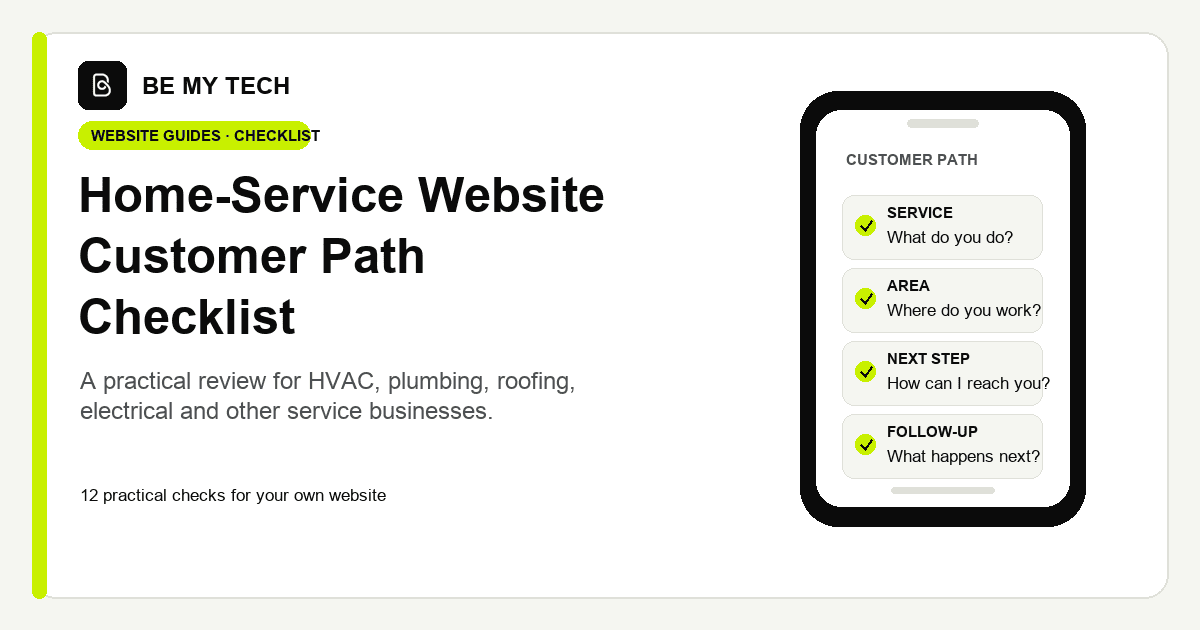
Open your website on a phone and follow it as a first-time customer. Mark Pass, Review, or N/A, then note the page or detail you checked.
These checks follow the visible steps a visitor needs to take: understand the service and area, choose a way to contact the business, and know what happens after a request.
01 Service clarity
- CHECK
- Can a first-time visitor tell which services you offer?
- WHY IT MATTERS
- Visitors can quickly decide whether the business handles their type of work.
- HOW TO TEST IT
- Ask someone unfamiliar with the business to review the home page, then compare their answer with your service list.
RESULTPassReviewN/A
02 Service-area clarity
- CHECK
- Can visitors tell where you work and any important coverage limits?
- WHY IT MATTERS
- People can see whether their location is within your service area.
- HOW TO TEST IT
- Starting from the home page, find the coverage details and check that the place names and boundaries are current.
RESULTPassReviewN/A
03 Tap-to-call
- CHECK
- Can a phone visitor find the call action and reach the correct number?
- WHY IT MATTERS
- Customers who prefer calling can act without copying or searching for the number.
- HOW TO TEST IT
- Tap the call link and confirm the dialer shows the right number. Cancel before placing a call.
RESULTPassReviewN/A
04 Written service request
- CHECK
- Can a visitor find a written way to ask for service?
- WHY IT MATTERS
- Some customers need a way to reach you when calling is not convenient.
- HOW TO TEST IT
- Follow the request path and review the field labels, required details, and button wording.
RESULTPassReviewN/A
05 Estimate request
- CHECK
- Can a visitor ask about an estimate, quote, visit, or appointment?
- WHY IT MATTERS
- The customer can understand the next step before starting.
- HOW TO TEST IT
- Read the estimate instructions and confirm any price, fee, visit, and timing details match your current offer.
RESULTPassReviewN/A
06 Emergency and routine routes
- CHECK
- If you handle urgent work, is that route clear alongside routine service?
- WHY IT MATTERS
- Visitors can choose the route that fits their situation and your availability.
- HOW TO TEST IT
- Check relevant pages for current urgent-service hours, limits, and instructions. Mark N/A if you do not offer urgent service.
RESULTPassReviewN/A
07 Trust cues
- CHECK
- Are credentials, reviews, photos, warranties, and claims accurate and current?
- WHY IT MATTERS
- Visitors can understand who they may hire and what the business stands behind.
- HOW TO TEST IT
- Check dates, credential status, review context, photo permissions, and the terms of any guarantee.
RESULTPassReviewN/A
08 Contact information
- CHECK
- Are the business name, phone, hours, and coverage details consistent?
- WHY IT MATTERS
- Visitors can find the right information without sorting through mismatched details.
- HOW TO TEST IT
- Compare the header, footer, contact page, and key service pages.
RESULTPassReviewN/A
09 Mobile usability
- CHECK
- Can visitors read the page and use its controls without overlap or sideways scrolling?
- WHY IT MATTERS
- The next step should remain easy to find on the screen in a customer’s hand.
- HOW TO TEST IT
- On a phone at normal zoom, review the home page and one service page; try the navigation and main actions.
RESULTPassReviewN/A
10 Form usability and delivery
- CHECK
- Can visitors use the form, and can your team confirm delivery?
- WHY IT MATTERS
- A form should be understandable to complete and connected to the place your team reviews requests.
- HOW TO TEST IT
- Review labels, required fields, keyboard behavior, and confirmation. Verify delivery with provider test mode or a controlled recipient.
RESULTPassReviewN/A
11 After-submission expectation
- CHECK
- Does confirmation explain what happened and what comes next?
- WHY IT MATTERS
- Customers can tell whether their request was received and what to expect.
- HOW TO TEST IT
- Read the success message and verify any response-time or follow-up promise with your team.
RESULTPassReviewN/A
12 Relevant service options
- CHECK
- If offered, are financing, memberships, maintenance, booking, or scheduling explained clearly?
- WHY IT MATTERS
- Visitors can compare the options your business actually provides.
- HOW TO TEST IT
- Choose one option and confirm its terms, availability, and next step. Mark N/A for options you do not offer.
RESULTPassReviewN/A
Use your notes
Choose one item to clarify or improve, then revisit the same path on a phone. Some changes may be a wording update, a clearer page route, a form adjustment, or an operational decision.
Want a written review of your site against these checks?
The Website Revenue Diagnostic is a written review for businesses that want an outside assessment. It is $129 when the service is a fit.
Read about the Website Revenue Diagnostic — $129 if fitIf a review identifies a rebuild-sized need, Website Rescue is a separate design and development option, scoped for the project.
About this checklist
Shahab Shabbir, Founder of Be My Tech, created this framework around the steps visitors can see and take: understand the service and area, choose a contact path, and know what happens after a request. Each check is something an owner can observe on their own website.
- W3C guidance on minimum target size for the mobile usability check.
- FTC guidance on reviews and testimonials for the trust-cues check.
For practical examples of small-business website structure, see small-business website examples.