Authors & Publishing
Is a Free Book Cover Good Enough? A Four-Part Test Before You Publish
Amazon KDP gives every author a free cover tool, and plenty of design apps offer free templates. So it is a fair question: do you really need to pay for a book cover?
Sometimes you do not. The better question is whether your cover will do its job where readers actually meet it: as a tiny image in search results, next to dozens of competing books, and as a printed object in someone’s hands. This guide gives you a four-part test you can run in about fifteen minutes, using Amazon KDP’s own specifications, so you can decide with evidence rather than guesswork.
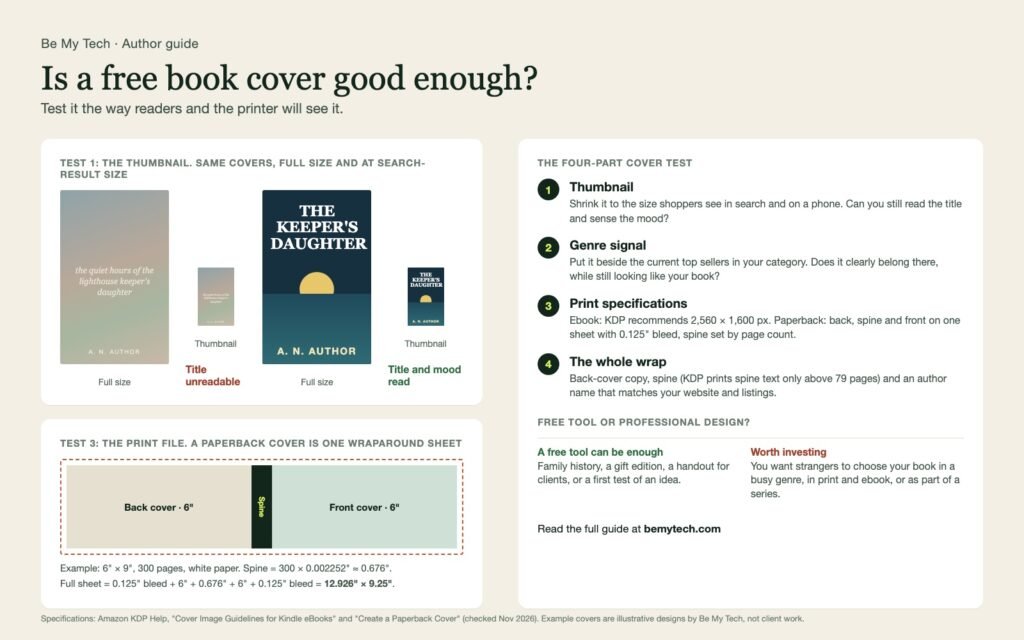
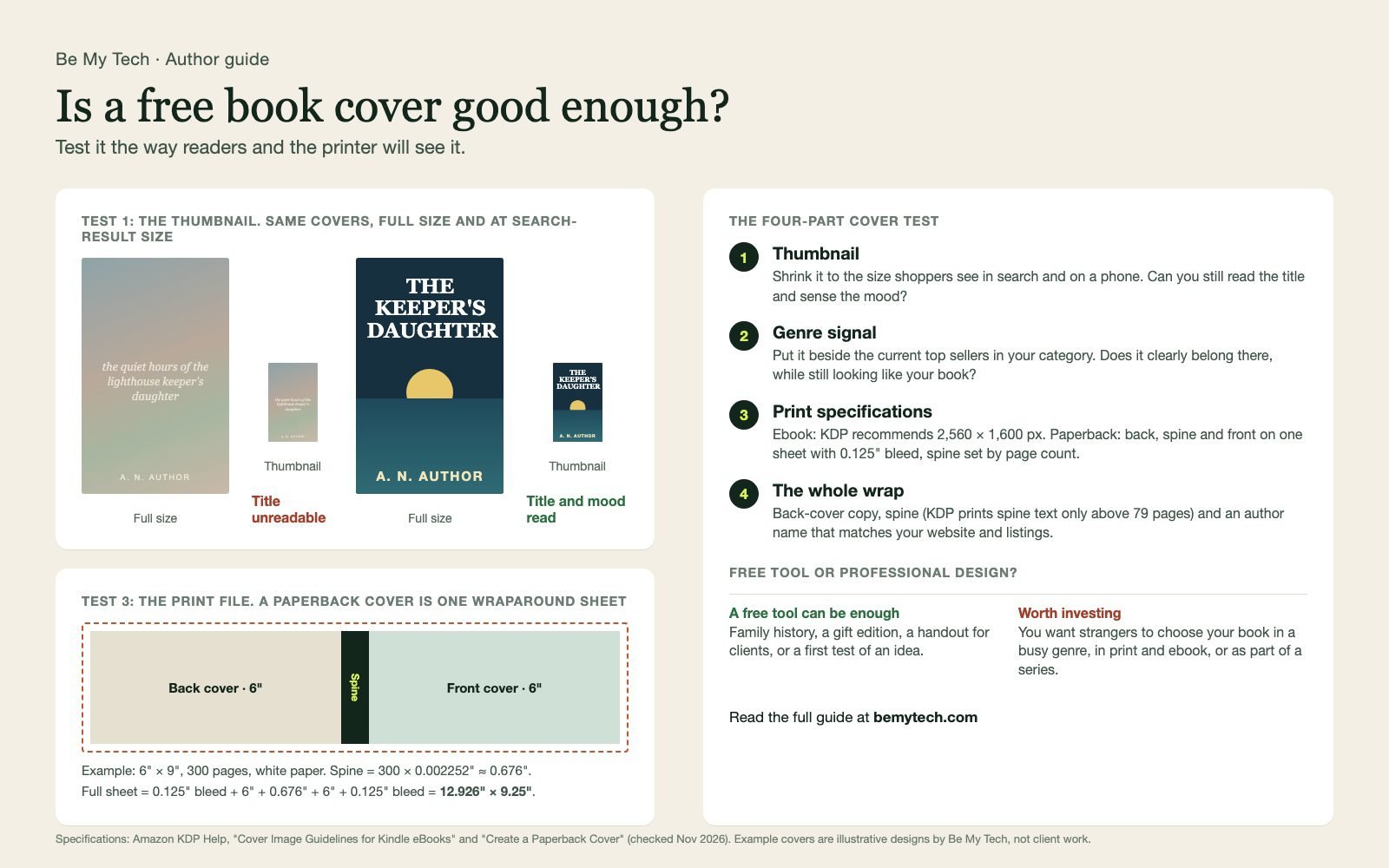
The diagram above summarises the four tests. The example covers in it are illustrative designs by Be My Tech, not client work. On a phone, open the diagram full size to zoom in.
Test 1: Can it survive the thumbnail?
Most shoppers first see your cover far smaller than you designed it: in a search results grid, a “customers also bought” row, or on a phone screen. A cover that looks elegant at full size can turn into a soft blur.
How to test it: export your cover and view it at roughly 150 pixels wide, or simply zoom out until it is about the size of your thumbnail on a phone. Then ask a friend who has not seen it:
- Can you read the title without squinting?
- Can you tell roughly what kind of book it is?
- Does anything draw your eye, or is it all one tone?
Thin script fonts, long titles set small, and low contrast between text and background are the usual reasons a cover fails here. A free template is not automatically worse, but templates are rarely designed with your specific title length in mind.
Test 2: Does it send the right genre signal?
Readers decide in a second whether a book is “for them,” and they do it by pattern recognition. Thrillers, romance, memoir, business books and children’s books each have visual conventions: type styles, color ranges, imagery and layout.
How to test it: open the current best sellers in the exact category you plan to publish in. Put your cover in the middle of a screenshot of the first twenty or so results. Your cover should clearly belong in that row, while still looking like a distinct book. If it looks like it wandered in from another shelf, readers who would love it may scroll straight past.
This is where generic templates struggle most, because they are built to suit many genres at once.
Test 3: Is the file right for print and ebook?
A cover is also a technical file, and the requirements are specific. According to Amazon KDP’s help pages:
| Format | What KDP asks for |
|---|---|
| Kindle ebook cover | Recommended 2,560 pixels tall by 1,600 pixels wide. KDP advises against stretching a smaller image to fit, and shows a warning when a cover is below the recommended size. |
| Paperback cover | One wraparound file: back cover, spine and front cover together, plus 0.125 inch of bleed on every outside edge. |
| Spine width | Set by page count and paper. For white paper, multiply pages by 0.002252 inch. For cream paper, multiply by 0.0025 inch. |
| Spine text | Only longer books get spine text. KDP’s help pages put the minimum at 79 to 80 pages, so check the cover calculator for your page count. |
A worked example: a 6 by 9 inch paperback with 300 pages on white paper has a spine of about 0.676 inch (300 × 0.002252). The full cover file is 0.125 + 6 + 0.676 + 6 + 0.125 = 12.926 inches wide and 9 + 0.25 = 9.25 inches tall.
If your page count changes after editing, the spine changes too, so the cover file has to be updated. KDP’s free Cover Creator and its cover calculator handle these measurements for you, which is one genuine advantage of the free route.
Test 4: Does the whole wrap work together?
A print book is more than its front cover. Check that:
- The back cover has a short, persuasive description, not a wall of text.
- The spine is readable on a shelf (if your book is long enough for spine text).
- Your author name is written exactly the same way on the cover, your Amazon page and your website.
- If this is the first book in a series, the design can carry consistently into book two.
So, free or professional?
Here is an honest rule of thumb.
A free tool can be enough when the book is mainly for people who already know you: a family history, a gift edition, a handout for clients, or a first experiment with an idea. If your cover passes the four tests above, you may not need to spend anything.
Professional design is usually worth it when you want strangers to choose your book in a crowded genre, when you are publishing in both print and ebook, or when the book is the start of a series or a business. In those cases the cover is doing sales work every time someone scrolls past it.
Either way, a good cover will not rescue a book that is not ready, and it cannot guarantee sales. It simply removes a reason for the right reader to pass you by.
Where this fits in publishing your book
Cover design is one decision among several. If you are still choosing where to publish, start with our guide to where to publish your book for free. If you are working to a tight budget, see what $500 can realistically cover.
Be My Tech designs professional covers, including the print wrap and 3D mockup, as part of our author services. Our holiday Bestseller Bundle ($4,999) combines up to 50,000 words of writing with editing, cover design, formatting and publishing assistance. It is a package name, not a promise of bestseller ranking or sales.
We will reply with a suitable next step. Asking does not place an order or charge you.
Sources: Amazon KDP Help, Cover Image Guidelines for Kindle eBooks, Create a Paperback Cover and Cover Creator, checked November 2026. Specifications can change, so confirm on KDP before you upload.